
Quick Answer
What is a virtual terminal?
A virtual terminal is a secure, browser-based interface that lets your staff manually enter card or ACH payment information to process a transaction. No card reader required. No software to install. Card data goes directly to your processor's encrypted servers. Nothing is stored on your computer. It is the standard tool for taking payments by phone, by mail, or any time a customer cannot physically present their card.
If your office takes payments over the phone or by mail, you are already doing what a virtual terminal was built for. The question is whether you have the right tool to do it securely, efficiently, and in a way that keeps your organization out of PCI scope trouble.
This guide covers what virtual terminals are, how they differ from other payment tools, what PCI compliance looks like when you use one, and what to look for before you choose a solution.
What a Virtual Terminal Actually Does
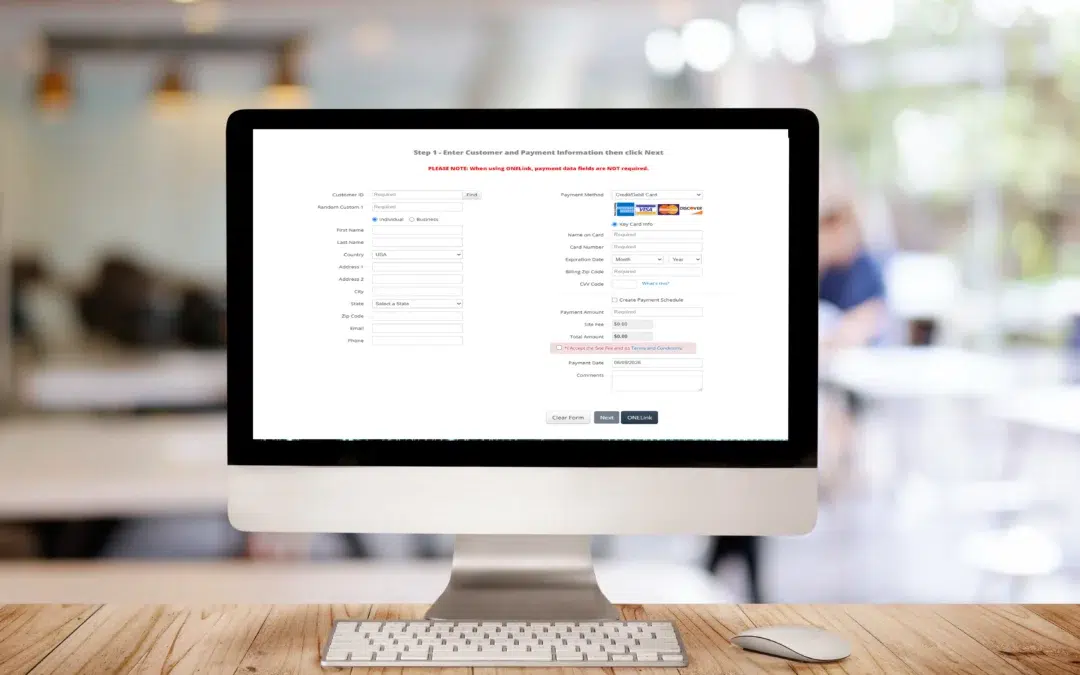
A virtual terminal is a web page, secured and hosted by your payment processor, where an authorized staff member enters a customer's payment information and submits the transaction. No card swipe. No app. Any device with a browser and an internet connection can access it.
What happens next is the same as any card transaction. The processor routes the data to the card networks, gets an approval or decline, and returns the result in seconds. The customer gets a receipt by email. Funds settle to your bank account on your normal schedule.
The key distinction: card data never touches your computer. It goes from the browser directly to your processor's PCI-certified servers. That is what separates a proper virtual terminal from writing card numbers on a notepad or entering them into a spreadsheet. The latter is not a payment process. It is a compliance violation waiting to happen.
IntelliPay One Terminal
One Terminal is a cloud-based, PCI DSS Level 1 compliant virtual terminal that supports EMV chip card, swiped, and hand-keyed payments from the same interface. It runs in any browser, supports unlimited users, accepts ACH and credit and debit cards, and can be configured for any IntelliPay fee model. Logo and color brandable. Bank agnostic. No change to your existing banking relationship required. See how it works.
Virtual Terminal vs. Payment Gateway: Not the Same Thing
These two terms get used interchangeably. They should not be. Here is the practical difference.
| Term | What It Is | Who Uses It |
|---|---|---|
| Payment Gateway | The infrastructure that routes transactions between your system and the card networks | E-commerce sites, integrated software, APIs |
| Virtual Terminal | A browser-based interface where staff enter card data manually; uses a gateway in the background | Call centers, front desks, billing offices, government clerks |
| Physical Terminal | Dedicated hardware with a card reader and PIN pad for card-present transactions | Retail, restaurants, in-person service counters |
A payment gateway without a virtual terminal gives your staff nothing to use for manual entry. A virtual terminal without a reliable gateway behind it cannot route transactions. When you evaluate a virtual terminal solution, you are evaluating both together. That is why it matters that your processor owns and controls the full stack.
Who Actually Needs a Virtual Terminal
Virtual terminals are not a workaround for businesses that cannot afford real payment equipment. They are the right tool for a specific set of payment environments.
Phone and Mail Order Payments
MOTO, which stands for Mail Order/Telephone Order, is the technical term for any transaction where the cardholder gives their information remotely rather than tapping or swiping. If a customer calls in to pay a bill, that is a MOTO transaction. A virtual terminal is the standard way to handle it. Writing the card number down and processing it later is not compliant, and it creates real exposure for your business. Card networks including Visa publish rules governing how MOTO transactions must be handled, including disclosure and authorization requirements.
Healthcare Billing Offices
Medical and dental practices frequently take payment over the phone when a patient calls about a balance or co-pay. A virtual terminal lets billing staff process the payment in real time, send a receipt immediately, and maintain a clean transaction record without storing any card data on the practice's own systems. If your practice management software does not include payment processing, a virtual terminal fills that gap without requiring a technology overhaul. Healthcare organizations handling patient financial data are also subject to HIPAA privacy and security rules administered by the U.S. Department of Health and Human Services. A properly scoped virtual terminal setup helps keep cardholder data off your internal systems, which reduces the overlap between payment data and protected health information environments.
Government and Municipal Offices
County offices, utility departments, permit counters, and court clerks all face the same scenario: a constituent calls to pay a fee, fine, or balance. A virtual terminal configured with your department codes, required data fields, and fee model handles this cleanly. IntelliPay's One Terminal supports multiple departments and locations from a single platform. Each department gets its own configuration, its own required fields, its own fee settings, and its own branded receipts, all within a centralized reporting structure. See IntelliPay's government payment processing page for more on how this works in practice.
Property Management and Utilities
When a resident calls about a late balance, a virtual terminal with recurring payment functionality lets your staff create a payment plan on the spot. One Terminal supports one-time payments and recurring or custom payment schedules in the same interface. That is useful any time a customer wants to set up automatic payments or work through a larger balance in installments.
Businesses Without an Online Payment Page
Not every business collects payments through a website. Law firms, insurance agencies, nonprofits, and B2B service providers often invoice customers and collect payment by phone or mail. A virtual terminal gives those businesses a way to accept card payments without building out an e-commerce integration and without needing specialized hardware at a front desk.
PCI Compliance When You Use a Virtual Terminal
This is the part most guides skip over. It matters.
When you use a virtual terminal hosted by a PCI DSS Level 1 certified processor, your organization typically qualifies for the SAQ C-VT. This is one of the shorter PCI self-assessment questionnaires published by the PCI Security Standards Council, and it is significantly less work than the full SAQ D, which applies to merchants who store, process, or transmit cardholder data on their own systems.
According to the PCI Security Standards Council's document library, here is what qualifies a merchant for SAQ C-VT:
SAQ C-VT Eligibility Requirements
The practical takeaway: if your staff is entering card data into a browser screen provided by your processor, and that processor is PCI Level 1 certified, your organization stays largely out of scope for the heaviest PCI requirements. Card data never lives on your network.
What you are still responsible for: keeping the workstation used for payment entry clean. No email, no general web browsing, no other software that could introduce risk. One computer dedicated to payment entry is the right setup. It is a small operational discipline with a significant compliance benefit. If you are unsure which SAQ applies to your situation, the PCI SSC provides a self-assessment selection tool on its website, and your acquiring bank can also help confirm the right path.
What to Look for in a Virtual Terminal Solution
Not all virtual terminals are the same. Here is what separates a tool that works from one that creates problems six months in.
Multiple Payment Types in One Interface
Your callers will not all pay by card. A virtual terminal that also accepts ACH and eCheck payments eliminates the need for a separate system when someone wants to pay by bank account. ACH payments move through the Nacha-governed ACH network, which handles over 33 billion transactions annually. IntelliPay's One Terminal handles credit cards, debit cards, and ACH from the same screen. For locations that also take in-person payments, One Terminal's EMV chip card support handles card-present transactions in the same interface.
Configurable Required Fields
Government and healthcare offices almost always need to capture an account number, invoice number, or case ID with the payment. A virtual terminal that lets you configure custom fields and make any field required before a transaction can be submitted saves your staff from chasing down missing information afterward. One Terminal supports configurable custom fields per department.
Recurring and Scheduled Payments
If your organization manages payment plans, membership dues, installment arrangements, or automatic billing, you need a virtual terminal that can create a recurring schedule at the time of the call. One Terminal supports one-time and recurring payment plans from the same screen. No second system needed. For a deeper look at how recurring billing and cards on file work under the card network rules, see IntelliPay's cards on file and recurring billing compliance guide.
Fee Model Flexibility
Depending on your industry and state, you may be able to pass processing costs to customers through a service fee, convenience fee, or surcharge. Or you may prefer to absorb them. One Terminal is configurable for all IntelliPay fee models. The calculation happens automatically at the terminal. Your staff does not have to figure out the math on each call.
It is worth understanding the differences between these fee types before you choose a model. Service fees and convenience fees follow different rules, apply to different merchant types, and have different channel requirements. IntelliPay consultants can walk you through which option works for your organization. You can also review IntelliPay's payment models page for a summary of each option.
Multi-Department and Multi-Location Support
For organizations with multiple departments or locations, a virtual terminal that can be configured per department matters. One Terminal supports unlimited users across multiple locations. Each department gets its own logo, required fields, and fee settings. Reporting is centralized so every transaction across every location and every user is visible in one place.
Centralized Reporting
Real-time reporting across all users and locations is what makes reconciliation manageable. One Terminal feeds into IntelliPay's reporting platform, so you can search transactions, issue refunds, manage voids, and export records without logging into separate systems.
What to Avoid
A few things that look like virtual terminal solutions but are not.
Writing card numbers down before processing them later. This is a PCI violation regardless of whether you shred the paper afterward. Card data written down or entered into a text document is stored cardholder data. There is no compliant version of this.
Using a shared workstation for payment entry. If the computer used to enter card numbers is also used for email, general web browsing, or other office work, your PCI scope expands. PCI SSC guidance on SAQ C-VT requires an isolated workstation. A dedicated payment entry computer is the right setup.
Consumer payment apps for business payments. Venmo, Zelle, and similar tools are not merchant payment solutions. They have no chargeback protections, no fee model controls, no reporting, and are not PCI compliant in a business or government context.
Frequently Asked Questions
What is a virtual terminal?
A virtual terminal is a browser-based interface that lets authorized staff manually enter credit card, debit card, or ACH payment information to process a transaction. No card reader or specialized hardware is required. Card data goes directly to your processor's secure servers. Nothing is stored on your computer or network.
What is the difference between a virtual terminal and a payment gateway?
A payment gateway is the technology that routes a transaction between your system and the card networks. A virtual terminal is the interface your staff uses to enter card details. Most virtual terminals use a payment gateway behind the scenes, but they are not the same thing. A gateway alone has no screen for manual entry.
Is using a virtual terminal PCI compliant?
When a virtual terminal is hosted by a PCI DSS Level 1 certified processor, merchants typically qualify for the shorter SAQ C-VT self-assessment questionnaire rather than the full SAQ D. This reduces annual compliance work significantly. The key requirement is that card data must not be stored on your local systems.
Can a virtual terminal accept ACH payments?
Yes, depending on your processor. IntelliPay's One Terminal accepts credit cards, debit cards, and ACH/eCheck from the same interface. ACH payments move through the Nacha-governed ACH network. This is useful for healthcare billing, government payments, and any organization that needs to offer customers a choice of payment method during a single phone call.
What is a MOTO transaction?
MOTO stands for Mail Order/Telephone Order. It refers to any transaction where the cardholder provides card information remotely by phone or mail rather than presenting the card in person. Virtual terminals are the standard tool for processing MOTO transactions. Because the card is not physically present, MOTO transactions carry different interchange rates and different chargeback rules than card-present transactions. Card networks publish their MOTO transaction rules; Visa's merchant guidelines are publicly available on the Visa website.
Ready to See It in Action?
One Terminal works on any device, for any team.
Configurable for your department, your fee model, and your workflow. See how IntelliPay's One Terminal simplifies phone and mail-order payments for businesses, healthcare offices, and government agencies.
See One TerminalRelated Reading
Disclaimer
This article is provided for informational purposes only and does not constitute legal, compliance, or professional advice. PCI DSS requirements and SAQ eligibility criteria are established by the PCI Security Standards Council and are subject to change. Merchants should consult their acquiring bank, a qualified security assessor (QSA), or legal counsel to confirm the appropriate SAQ type for their specific environment. HIPAA obligations are governed by the U.S. Department of Health and Human Services. MOTO interchange rates, chargeback rules, and fee model regulations vary by state and card network and may change. ACH payment processing is governed by Nacha Operating Rules. All IntelliPay product features are subject to specific account configuration and applicable terms of service. Last updated: June 2026. IntelliPay is a registered ISO/MSP of Citizens Bank, Providence, RI, and Synovus Bank, Columbus, GA.
