
IntelliPay is a PCI DSS Level 1 certified payment processor offering mobile payments, text-to-pay, ACH, and recurring billing in a single platform designed for HVAC, plumbing, electrical, landscaping, and home service contractors of every size.
Quick Answer
How does text-to-pay help field service contractors get paid faster?
Text-to-pay lets your office text a secure payment link to the customer the moment a job is finished. The customer taps the link on their phone, pays by card or ACH in under two minutes, and gets an emailed receipt automatically. No chasing invoices, no phone tag, and no app to install.
A technician who finishes a job and then spends the next three weeks leaving voicemails about an unpaid invoice is not doing collections wrong. They are stuck with the wrong payment workflow. The fix is not more reminder emails. It is giving customers a fast, obvious way to pay from the device they already have in their hand.
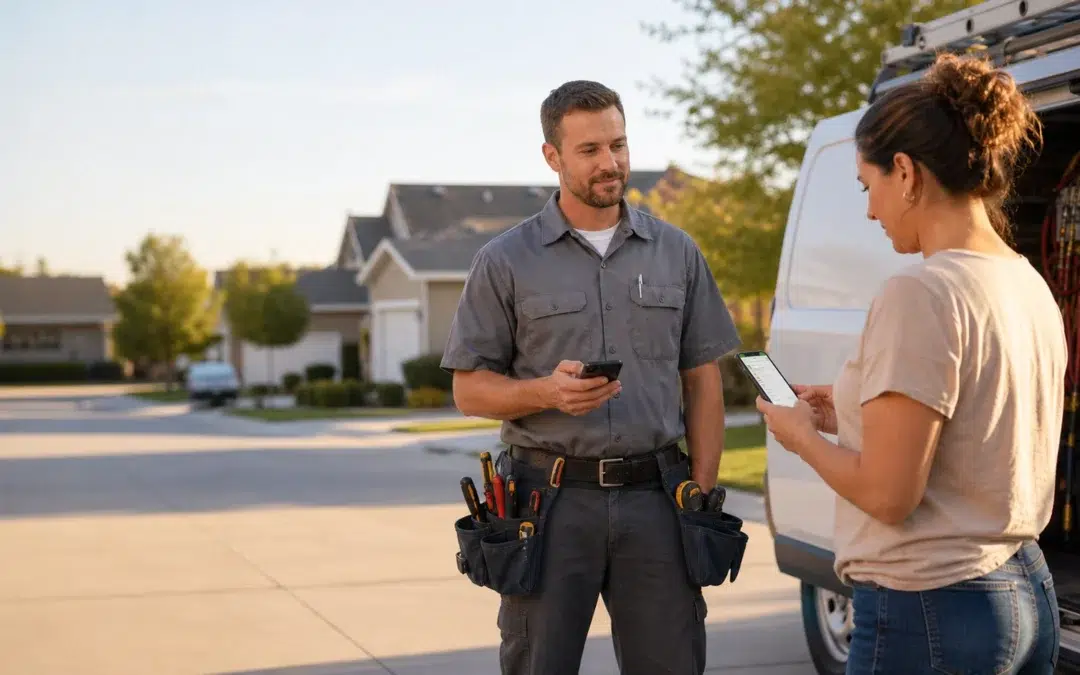
That is what text-to-pay does for field service businesses. Instead of hoping a homeowner opens an email invoice tonight, your dispatcher sends a short SMS with a payment link while the work is still fresh in the customer’s mind. The customer taps, pays, and the job is closed out before your truck even leaves the neighborhood.
In this guide, we will look at how text-to-pay fits real field workflows, what it changes in your collections metrics, and what you should expect from a processor before you put SMS payment links into the middle of your customer experience.
How Text-to-Pay Fits Real Field Service Workflows
Field service businesses do not live in one clean, in-person checkout flow. Some jobs end with the homeowner standing in the driveway. Others wrap up while the customer is at work, out of town, or managing things through a property manager. Text-to-pay fills the gaps where “hand me your card” is not realistic.
When the Customer Is Not Present at Job Completion
A technician replaces a failed condenser at 3:15 PM. The homeowner is still at the office. Leaving a paper invoice on the kitchen counter and hoping for a mailed check two weeks from now is how accounts receivable gets bloated. A text-to-pay link changes that rhythm completely.
As soon as the job is marked complete in your system, your dispatcher or office staff triggers a text message with a secure payment link. The homeowner taps the link on their phone, reviews the amount, and pays by card or ACH on the spot. They get a receipt, you get a confirmed payment, and the invoice never has a chance to age.
After-Hours and Emergency Calls
Emergency HVAC calls and after-hours plumbing work often happen when the homeowner is distracted, stressed, and focused on getting heat, cooling, or water back online. Pulling out a card and reading numbers over the phone to someone in your office is not their idea of a clean experience.
With text-to-pay, your technician or dispatcher can send a payment link the same way they send an ETA update. The customer pays from the couch while the system is cycling back on. You eliminate awkward card reads over the phone, reduce the time on the call, and keep your team focused on fixing problems instead of taking payment details by hand.
When You Still Need to Send an Invoice
Not every job can be priced on the truck. Sometimes you have to wait for parts invoices, change orders, or approvals. Text-to-pay does not replace invoicing. It changes how that invoice turns into a cleared payment.
Instead of emailing an invoice and hoping it does not get buried in a crowded inbox, you email the invoice for documentation and send a text-to-pay link for action. The customer sees “Your invoice from ABC Heating is ready” on their phone, taps the link, and pays. The invoice lands in your accounting system marked paid instead of “sent, waiting.”
What Text-to-Pay Changes in Your Collections Metrics
The best argument for text-to-pay is not that it feels modern. It is that it changes your numbers. When customers can pay from their phone in under two minutes, your days sales outstanding and slow-pay buckets start to move in the right direction.
Fewer Invoices Drifting Past 30 Days
The longer an invoice sits, the harder it is to collect. After a couple of weeks, the homeowner’s memory of the work fades and other bills take priority. Text-to-pay hits them while the job is recent and the value is obvious. That timing alone pulls a large share of invoices out of the 30-, 60-, and 90-day aging buckets.
Contractors who adopt text-to-pay consistently report more invoices paid in the first seven days after job completion and fewer accounts that require repeated follow-up calls. You do not have to train homeowners. You just have to send them a link that works on any phone.
Less Time Spent on Manual Collections
Every invoice that requires two phone calls, a second email, and a re-sent PDF is time your office staff is not spending on scheduling, routing, and customer service. Those minutes add up to real payroll dollars.
With text-to-pay, your staff triggers a single SMS link and lets the customer self-serve payment on their own schedule. The system handles the receipt, the ledger entry, and the confirmation back to your job management platform. Collections work shrinks down to the truly exceptional cases instead of being the default on every job.
Cleaner Reconciliation and Job Closeout
When text payments, on-site card payments, and ACH all feed into one reporting dashboard, it is obvious which jobs are paid, which are pending, and which need attention. You are not juggling separate systems for email invoices, phone payments, and portal payments.
A good text-to-pay setup will tie each payment link to a specific job or invoice number, mark it paid when the transaction succeeds, and keep a trail of who sent what and when. That audit trail matters when your bookkeeper is trying to reconcile last month’s work or respond to a customer question about a prior balance.
Customer Experience: Text-to-Pay Without Feeling Like Spam
Sending a payment link by text should feel like a normal part of your service flow, not a marketing blast. The language, layout, and branding of your text-to-pay messages are what keep it in the helpful and expected bucket instead of the what-is-this-link bucket.
Clear, Branded Messages That Build Trust
A good text-to-pay message says who you are, what the payment is for, and what the customer should do next in a single short line. “ABC Heating: Your repair today is $428.76. Tap to pay securely by card or bank transfer.” is clear. “Click here to pay” from an unknown number is not.
The payment page the link opens should carry your business name and logo, not a generic third-party brand the customer does not recognize. That continuity reduces second-guessing, shortens decision time, and cuts down on “I was not sure if that was really from you” phone calls to your office.
No App to Download, No Account to Create
Homeowners do not want another app just to pay a one-time service invoice. Requiring an account and password is friction you do not need and a support burden you do not want.
A browser-based text-to-pay flow that opens directly in the customer’s mobile browser, lets them pay in a couple of taps, and then closes is what fits how people actually use their phones. That is where solutions like IntelliPay’s OneLink focus: secure payments with as few steps as possible.
Compliance, Authorization, and Security for Text-to-Pay
Text-to-pay is still card-not-present and ACH processing under the hood. The same rules that apply to online and over-the-phone payments apply here. The goal is to keep sensitive data out of your systems, follow card brand and ACH rules, and document authorization clearly.
Keeping Card and Bank Data Off Your Systems
In a properly designed text-to-pay flow, your team never sees full card or bank account numbers. The customer enters their information directly into a PCI DSS Level 1 certified payment page, and the processor tokenizes it. That keeps cardholder data out of your phones, inboxes, and desktops and reduces your own PCI burden.
The same principle applies to ACH. When a customer pays a larger invoice by bank transfer, their routing and account numbers should go straight into a secure payment form that runs through the Nacha Operating Rules, not into a handwritten note on someone’s desk.
Written and Digital Authorization That Holds Up
For one-time text-to-pay charges, the customer’s completion of the payment form, combined with your job documentation and receipt, typically covers authorization. For any recurring or installment billing you pair with texted reminders, you need clear written or digital authorization that spells out the amount, schedule, and how to cancel.
The safest pattern is simple: get the agreement in writing, keep it tied to the customer record, and send a receipt every time you charge the card or bank account. If a dispute ever hits, you want to be able to show what the customer agreed to, when they agreed to it, and that they were notified after each payment.
Handling Disputes and Chargebacks on Texted Payments
Text-to-pay does not create new chargeback categories. It does change what evidence you have when a cardholder calls their bank. The more you can tie each payment link and transaction back to a specific job, technician, and communication trail, the stronger your position becomes if a dispute shows up.
| Text-to-Pay Issue | How to Prevent It |
|---|---|
| Customer does not recognize the payment text or link | Use your business name in the SMS sender ID where possible and in the message body every time. Match that name and logo on the payment page so the experience feels consistent. |
| Customer claims they never received the invoice | Send the invoice by email for documentation and the payment link by text for action. Keep a log of when each was sent, to which number and address, and tie that log to the job record. |
| Amount is higher than the customer expected | Include a brief job description and the amount in the SMS and on the payment page. For changes in scope, send an updated estimate for approval before sending the final text-to-pay link. |
| Customer says they tried to pay but the link did not work | Use a platform that tracks link delivery and status. If a link expires or fails, your team should be able to see it, resend a fresh link, or take payment through another channel without guessing. |
| Customer files a chargeback after paying by text | Respond quickly with the signed work authorization, job notes, before-and-after photos, copy of the text message, and the payment receipt. A complete story of what happened and what was authorized is your best defense. |
Most text-to-pay disputes trace back to communication and documentation, not the technology. Make it easy for customers to reach you with questions before they call their bank, and keep a paper trail you can produce quickly. The FTC’s consumer guidance is useful for understanding how billing and dispute issues are viewed from the customer side.
What to Look for in a Text-to-Pay Provider
Not all send-a-payment-link-by-text tools are built with field service in mind. The right provider should understand that you run trucks, not a call center, and that your team does not have time to babysit payment links all day.
Card and ACH in the Same Texted Link
For small repair tickets, cards are convenient and expected. For large installation invoices, ACH can cut your processing cost down to a fraction of what a reward card would cost on the same job. Your text-to-pay link should be able to handle both without sending the customer through two different systems.
A combined card and ACH flow lets your team present both options clearly on the same page, steer larger jobs toward lower-cost payment methods when appropriate, and still keep the experience simple from the customer’s perspective.
Simple Controls Your Office Can Actually Use
Your dispatcher should not need a programmer to send a payment link. Look for a text-to-pay tool that lets staff search by job, customer, or invoice, click “Send text,” and be done. Templates for standard message text keep everything consistent and reduce typos.
On the backend, your admins should be able to see which links were delivered, which were opened, and which resulted in payment. That visibility is what lets your team follow up intelligently instead of guessing who paid and who did not.
Integration With Your Existing Systems
Text-to-pay works best when it is part of your normal workflow, not a separate tool you have to remember to log into. The ideal setup is a payment platform that can connect to your dispatch, field service, or invoicing software so payment links and job statuses move together.
Even when a full integration is not available, you should at least be able to pass invoice numbers, customer names, and job IDs into the payment link so your reporting can tie everything back together at the end of the month.
Ready to Collect by Text?
Text-to-pay links that help field service contractors get paid in minutes, not weeks.
IntelliPay’s platform lets you send branded payment links by SMS, accept card and ACH from the same page, and see every payment from every technician in one dashboard. No apps to install, no junk fees, and a setup that fits how HVAC, plumbing, electrical, and home service businesses actually operate.
See How OneLink Text-to-Pay WorksKey Takeaways
Text-to-pay fills the gaps where taking a card at the door is not realistic. It lets your team send a secure SMS link the moment a job is complete so customers can pay from their phone in under two minutes and invoices do not drift into the 30-, 60-, or 90-day buckets.
When text-to-pay is set up correctly, card and ACH payments flow through a PCI DSS Level 1 certified platform, card and bank data stay off your systems, and every transaction is tied to a specific job with clear authorization and a receipt. That combination improves cash flow and reduces disputes.
For field service businesses, the right text-to-pay provider offers branded messages, combined card and ACH acceptance, simple tools your office can actually use, and reporting that shows every payment from every technician in one place. IntelliPay’s OneLink text-to-pay is built around those exact requirements.
